Your notes in.
Your best grade out.
Add the materials from any class: slides, PDFs, readings, photos of your notes. Then pick what you want: summaries, flashcards, practice tests, essay feedback and more, all built from your own course by Claude, Anthropic's AI.
Windows 10 & 11 app and a web version for any phone, tablet or Mac. Start free, no card needed.
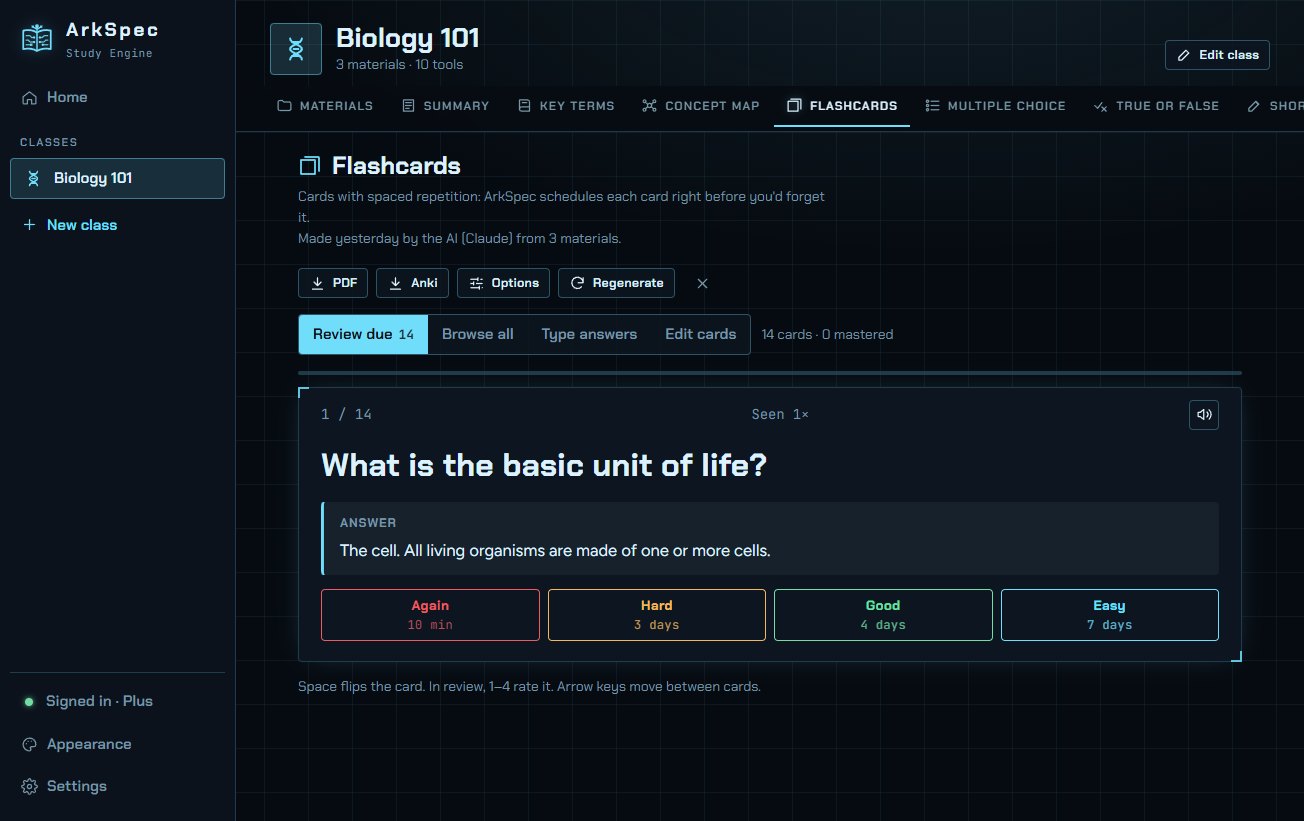
Three steps. Then just study.
ArkSpec never dumps everything on you. You choose exactly which study tools you want for each class, and you can add more any time.
Create a class
Name it, pick an icon and a color. Make one for every course you're taking.
Add your materials
Drop in PDFs, Word docs, PowerPoints, web pages, pasted text, or photos of handwritten notes.
Choose your tools
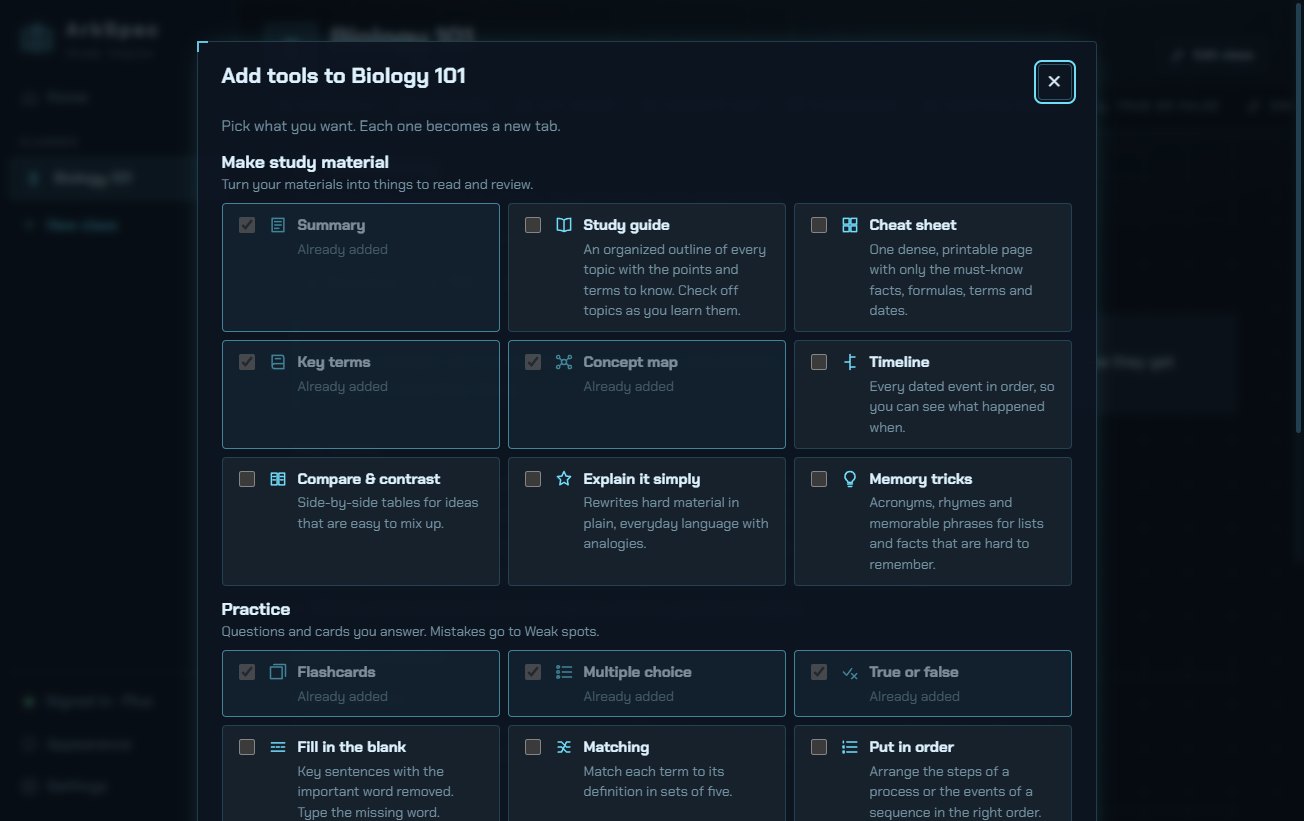
Tick what you want. Each becomes a tab. Decide later you want short-answer practice? Click + Add tool.
25 study tools, built from your own course
Everything is made from your materials, not the internet, so it matches what your teacher actually covers.
MAKE
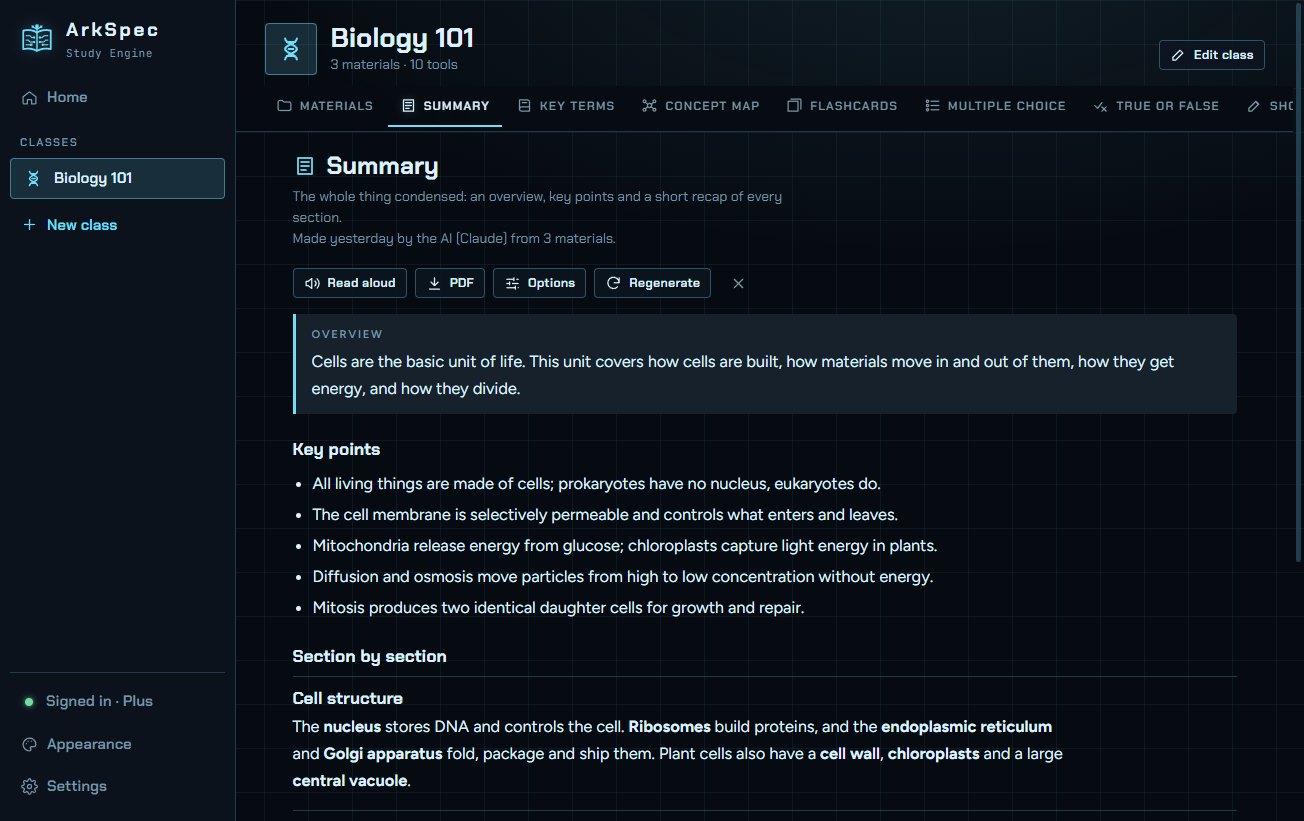
- Summaries
- Study guide
- Cheat sheet
- Key terms glossary
- Concept map
- Timeline
- Compare & contrast
- Explain it simply
- Memory tricks
PRACTICE
- Flashcards with spaced repetition
- Multiple choice
- True or false
- Fill in the blank
- Matching
- Put in order
- Short response, AI-graded
- Essays with rubric feedback
- Passage analysis
EXAM PREP
- Timed practice exams
- Likely exam questions
- Weak spots review
- Explain it back, AI-graded
STUDY
- Study planner + calendar
- Focus timer
- Progress & streaks
Plus: read aloud, and export to PDF, Anki and your calendar.
Pick a plan
Start free. Upgrade when you want every tool, unlimited classes and your classes on all your devices. Cancel any time.
Free
$0
- 1 new class each week
- Flashcards, multiple choice and key terms
- Up to 3 files per class
- A small weekly AI allowance
- Classes saved on your PC in the Windows app
- No sync between devices; in the web version, closing the page clears your class
Plus
$8/month
- Unlimited classes
- All 25 study tools
- Classes saved on your device
- Sync between your PC and the web, end-to-end encrypted
- 2 GB of synced storage
- A large weekly AI allowance
Pro
$14/month
- Everything in Plus
- 20 GB of synced storage
- More than twice the weekly AI allowance
- Higher-quality mode for tougher material
Prices in US dollars; tax may be added where required. The AI allowance refills every Monday.
Smart AI, strict about your data
ArkSpec uses Claude, made by Anthropic, through ArkSpec's own private server. It's locked to the study tools: it builds and grades your study material and nothing else.
- Your files stay with youArkSpec reads your files on your own device. Only the text is used, and your original files are never uploaded.
- Not kept, not sold, not used for trainingText sent to the AI is used only to build what you asked for. We don't keep it, sell it or show you ads, and Anthropic doesn't train its models on it.
- Encrypted syncOn Plus and Pro, classes are encrypted on your device before they sync. Only you hold the key.
- Only what's neededYour account is just an email and a password. No tracking, no profiles.
Make it yours
Light or dark, or follow your device. Pick a sharp HUD look or a clean one. Choose from twelve themes or design your own with any colors, then share it with friends as a code. Readable fonts include Lexend and a dyslexia-friendly option.
Click a theme to restyle this page. The app has these themes and more.
Where it runs
The AI runs on ArkSpec's server, so any computer that can browse the web is fast enough.
Windows 10 or 11 (64-bit), 4 GB RAM, about 500 MB of free disk space.
An up-to-date Chrome, Edge, Safari or Firefox on any phone, tablet, Mac or PC.
Needed to build and grade with the AI. Classes you've saved still open offline.
Questions
Is there really a free plan?
Yes. Sign up with your email and you can make one new class each week, with flashcards, multiple choice and key terms. In the Windows app your free classes are saved on your PC. Free classes don't sync, and in the web version they're cleared when you close the page. Plus and Pro unlock every tool and keep your classes on all your devices.
Which AI does ArkSpec use?
Claude, made by Anthropic. ArkSpec sends it only what a tool needs, with instructions written by ArkSpec. You can't chat with it or use it for anything else, which keeps it focused on your course and keeps costs down.
Can the AI be tricked by text in my notes?
No. Anything you add or type is treated as plain study text, never as instructions. Requests that look like an attempt to misuse the AI are refused and reviewed.
What happens to my notes?
The text of your materials is sent to the AI only while a tool is being built or graded. ArkSpec doesn't keep it, and Anthropic doesn't use it to train its models. The one exception: if a request is refused as possible misuse, a short excerpt is kept for up to 90 days so it can be reviewed. Your original files never leave your device.
Which files can I add?
PDF (including scanned PDFs), Word (.docx), PowerPoint (.pptx), Excel (.xlsx), CSV, RTF, text, Markdown and HTML files, web pages (paste a link), pasted text, and photos or screenshots of notes. ArkSpec reads the text from photos and scans for you, and marks it so you can check it.
What's the weekly AI allowance?
Each plan includes a set amount of AI work per week, shown in the app as a meter. Building a class's tools uses the most; practicing with flashcards and quizzes you've already built uses none. It refills every Monday.
What if I cancel?
You keep your plan until the end of the period you paid for. After that, synced classes become read-only for 60 days so you can come back or export them, then they're deleted.
Mac, iPhone or Android?
Use the web version in your browser. It has the same tools, and on Plus and Pro your classes sync with the Windows app.
Study smarter, starting soon.
Launching soonWindows app and web version · Free plan available